
Yourecruit
  • WorkTracker
    • WorkTracker App Help
  • Temp Manager
    • TempManager Help
  • Workforce Compliance
  • Job Posting
  • About Us
    • Contact Us
    • Integrations
  • Login
Select Page

Roles

TempManager Help

  • Getting Started
    • Terminology
    • Logging in for the first time
    • Administrative settings
    • Standard Daily Activity
    • Filters
  • Company settings
  • Compliance
    • Compliance overview
    • Employee Compliance list
    • Employee Compliance details
    • Requirements
      • Google Sheets External Compliance
      • Healthier Business External Compliance integration
    • Requirements to roles mapping
  • Employees
    • Employee Profile
    • Employee Availabilities
    • Employee Profile Export
    • Employee work hours limit
  • Organisations
    • Organisation Profile
    • Organisation Contacts
    • Locations
    • Sublocations
    • Organisation Events
  • Reports
    • Employees per Organisation
    • Employee Payments – Timesheets
      • Evertime Timesheets export
  • Responses
  • Roles
    • Minimum Breaks
  • Shifts
    • Availability Confirmation
      • Assign an Employee
      • Shift Suggestions
    • Attendance Times and Details
    • Create a new Workshift Event
  • Assignments
    • Margin Check
  • Start Dashboard
  • Rates
    • Rate Timetable
    • Rate Group
    • Troubleshooting Rates calculations
    • AWR
    • Rate Ranges
  • Temp Manager Dashboard
  • Consultant Management
    • Forgotten password
  • Weekly availability
  • Communications
    • Employee Notifications
    • Articles Within the App
>

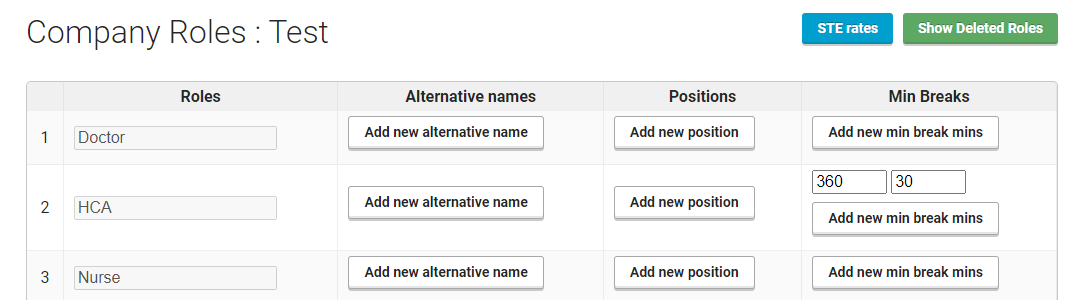
A role defines the type of position required for a work shift.
An example of a role would be a Porter, HCA, Radiographer, Theatre Nurse, Clerk etc.
You can also create more specific roles like Nurse – Band 5, Nurse – Band 6, this can be useful when applying role rates and in terms of filtering for availability, permission to work etc. 
Previous - Responses
Next - Minimum Breaks
created by NestDesign • Privacy & Terms • Our offices • Contact Us • API • Help • Blog